
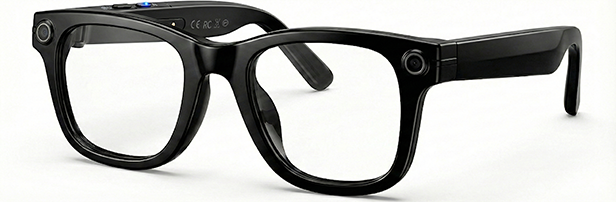

Cohere-Powered Intelligence
Record life.
Ask AI.
Stay present.
The world's most advanced AI smart glasses. Capture memories hands-free while maintaining total engagement with reality.
12,000+
Active owners worldwide.
Use Cases
Capture the game.
Translate on the go.
Ask AI while cooking.
Shipping
Free U.S. Shipping
Warranty
1-Year Limited
Returns
30-Day Risk-Free
Support
Concierge Ready
Shot on Vizor Lumen
Perspective Index
Real moments. No filters. Pure technical perspective captured in 4K.

Capture.01
Urban Architecture

Capture.02
Campus Walkway
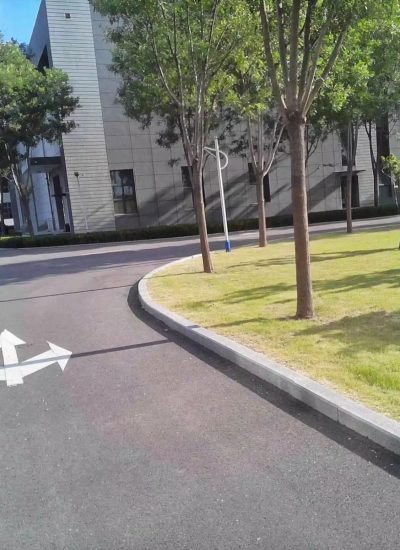
Capture.03
Outdoor Scene

Capture.04
Scenic View
Trusted by Early Users Across the United States
Early users report feeling less distracted and more present during everyday moments.
Customer reviews

Alex M., California
“I didn’t realize how often my phone was pulling me out of moments.

Sarah L., Texas
“I expected it to feel strange at first, but it didn’t. After one day, it just felt normal.

Daniel R., New York
“I use the AI way more than I expected. Travel feels easier, and I stay present.”
Built for real-world moments

Work & Meetings
Capture moments, get AI help, and stay focused—without pulling out your phone.

Learning on the Go
Understand what you’re seeing as curiosity strikes — instantly.

Travel & Moving Around
Record your journey from your point of view and get instant information while exploring.

Shopping & Errands
Get answers while you’re out and about — product info, translations, or reminders — without stopping or pulling out your phone.

Everyday Focus
Listen to music, take calls, and get answers while staying present.

Content & Moments
Create authentic POV photos and video without holding a camera.
Frequently Asked Questions
No. It works straight out of the box.
Yes, iOS and Android fully supported.
7–12 business days, trackable.
You have 30 days to try it risk-free. If it doesn’t fit your life, return it.
VizorLumen provides access to advanced AI large models, including OpenAI GPT-4.0 and Doubao.
You can wake the assistant hands-free by saying “HeyCyan” or by clicking the right rear button on the frames.